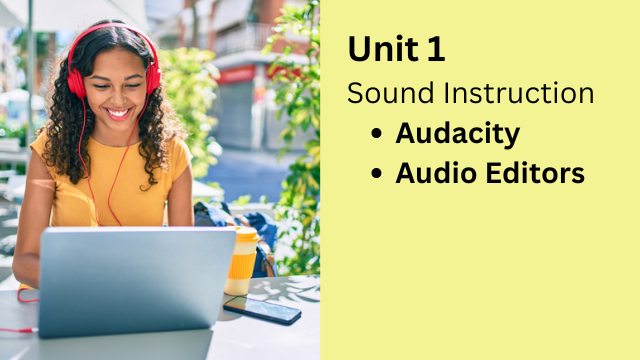
Unit 1: The Power of Audio
Sound Instruction with Audacity
Why This Unit Matters
Modern language learning has a strange problem.
Language is sound, but most instruction still starts with text.
This didn’t happen by accident. In the 1970s and 1980s, language teaching expanded quickly, but audio tools were expensive, limited, and difficult to use. As a result, textbooks became the center of instruction. Text came first. Sound came later — if at all.
That order is backwards.
Humans do not learn language by reading first. We learn by listening.
As babies, we spend years absorbing spoken language before we ever see written words. Only much later do we begin reading and writing. Yet in modern language classrooms, learners often see the text immediately and start forming rules and assumptions before they know how the language actually sounds.
This is a classic case of putting the cart before the horse.
And it causes real problems:
- Incorrect pronunciation fossilizes early
- Learners rely on spelling instead of sound
- Listening skills lag behind reading ability
- Students “know the rules” but can’t process real speech
What Changes Now
The good news is that this problem is no longer unavoidable.
Today, teachers have access to simple, free tools that make audio-first instruction practical, flexible, and powerful. One of the most important of these tools is Audacity.
Audacity is a free audio editor that allows teachers to:
- Record their own audio
- Edit and enhance recordings
- Create reusable listening materials
- Prepare audio for use inside and outside the classroom
With Audacity, audio is no longer an afterthought. It becomes a core instructional tool.
What Teachers Can Create with Audio
Using Audacity, teachers can easily create:
- Short mini-podcasts
- Dialogues and conversations
- Mini-lectures
- Audio explanations
- Modeled examples of target language
- Pronunciation demonstrations
- Listening practice for homework or self-study
Instead of relying only on commercial recordings or textbook CDs, teachers can produce home-cooked materials that match their students, their level, and their goals.
Multimodal, Not Text-Only
Audio does not replace text — it supports it.
With Audacity, teachers can create multimodal materials, where content exists in both audio and text form. This allows learners to:
- Listen first, then read
- Read while listening
- Revisit audio without rereading
- Build sound-based intuition before rule-based analysis
This aligns much more closely with how language is actually acquired.
A Key Insight: Pauses Matter More Than Speed
One of the most powerful (and often misunderstood) uses of audio editing is pausing.
Many teachers assume learners need slower speech. Often, that’s not true.
What learners really need is time to process.
Audacity allows teachers to insert short pauses into audio files. These pauses stretch the language without distorting it. Learners hear natural speech, but they are given just enough space for meaning to click.
This small change can dramatically improve comprehension, especially for lower-level or overwhelmed learners.
Audio as a Learning Tool (Not Just a File)
Audacity can also be used as:
- An audio player with looping for repetition
- A tool to extract and repurpose audio
- A way to recycle content into new activities
In this course, you’ll learn how to turn a single recording into multiple learning assets — without extra recording time.
What You’ll Learn in This Unit
In Unit 1, you will learn how to:
- Reframe language instruction as sound-first
- Use Audacity confidently as a teacher tool
- Create practical, engaging audio materials
- Improve comprehension with pauses and repetition
- Design listening activities that actually train listening
This unit lays the foundation for the entire course.
Once you understand the power of audio, every other tool and technique makes more sense.
Digital Content Creation for Educators
Part 1: Think Outside the Book
February 16th to March 7th, 2026
Participants can learn the the following:
- How to teach any language!
- How to make lessons engaging!
- How to create cool digital products!