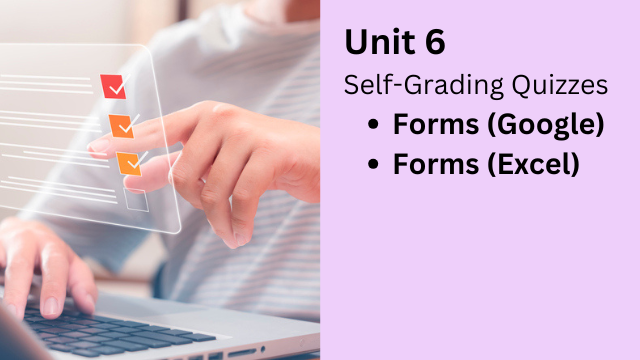
Unit 6: Active Learning with Forms
Self-Graded Quizzes, Progress Tracking, Sharing, and Error Correction
Why This Unit Matters
One of the fastest ways to add interactivity to a lesson is with a simple quiz.
In this unit, teachers will learn how to use Google Forms and spreadsheet-based forms to create activities that students can complete on a computer or mobile device.
Students can access activities with a link or a QR code, complete them quickly, and receive immediate feedback. At the same time, teachers can track participation and performance in a clear, organized way.
Core Skill: Build a Self-Grading Quiz in Minutes
The primary focus of this unit is creating a self-grading quiz using Google Forms.
Teachers can build quizzes the same way they would on paper, but with major advantages:
- Students see their score immediately after submitting
- Teachers can view participation and results automatically
- Responses are stored and organized for easy review
Once you understand the workflow, quizzes can be created in just a few seconds.
Four Practical Ways to Use Forms
In this unit, forms are used in four different ways. Each supports a different type of learning.
1) Self-Grading Quiz
This is the most direct use. Students answer questions, submit the quiz, and receive instant results. Teachers can quickly see who participated and how well students understood the material.
2) Progress Board (Learner Log)
Forms can also be used as learner logs. Students report their practice, and the form collects the data automatically.
This works well for open-ended, non-graded learning, such as:
- Extensive reading
- Extensive listening
- Homework practice
- Independent study
Teachers can track participation over time and display progress using a simple progress board.
3) Submission Share
Forms can also be used to collect and share student work.
Students can submit:
- Portfolio items
- Project links
- Written responses
- Learning artifacts
This allows classes to crowdsource content and build shared learning resources.
4) Sentence Clinic (Anonymous Error Correction)
The final use is an error-correction activity called the Sentence Clinic.
Students submit answers through a form, such as sentences using a target grammar structure. The teacher exports the responses to a spreadsheet and displays them for the class.
As a group, students:
- Identify errors
- Suggest corrections
- Compare different answers
- Improve accuracy and clarity
This activity can be done anonymously. Students recognize their own work, but classmates do not. This keeps correction safe, focused, and constructive.
What You’ll Learn in Unit 6
- Create self-grading quizzes quickly using Google Forms
- Share activities using links and QR codes
- Track participation and performance automatically
- Build learner logs and progress boards
- Collect and share student work efficiently
- Run Sentence Clinic activities for guided error correction
By the end of this unit, you will be able to add fast, simple, interactive learning to almost any lesson, with minimal preparation and strong student engagement.

Digital Content Creation for Educators
Part 1: Think Outside the Book
February 16th to March 7th, 2026
Participants can learn the the following:
- How to teach any language!
- How to make lessons engaging!
- How to create cool digital products!